Click to navigate to Collections and Receivables
Click to navigate to Reconciliation
Displays the Invoice Reconciliation Statement Summary

Right click on the context menu to view the additional options
Click on De-Reconcile
Enter the Remark and Click on Submit
Displays the details
Click to confirm
Displays the confirmation details

Right click on the context menu to view the additional options
Click on Reconcile
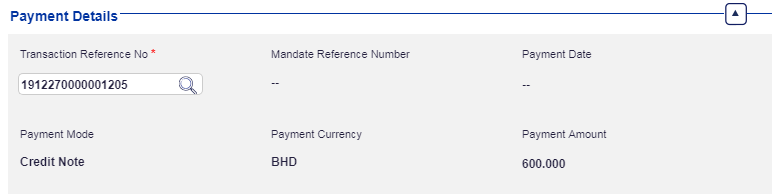
Select Transaction Reference information using lookup
Select Transaction Reference by double clicking on a row / record
Click on Submit
Displays the details
Click to confirm
Displays the confirmation details